Writing Archives

Showing posts with label editing. Show all posts

4 Reasons Why You Want To Change The Titles Of Your Articles

Tuesday, July 31, 2018
Writing sites and blogging platforms like Tumblr, Medium, and Google Blogger usually let you change the titles of your articles whenever and anytime you want to. But what reason is there to want to change the titles of your articles?

online writing, write articles, blog posts, improve titles, interesting, catchy titles, long titles, descriptive titles, change titles, edit titles

Improve your article titles

If you think the titles of your articles need improvement, then, by all means, feel free to change them. Improving the titles of your articles is definitely a good thing so you can get more readers.

If the titles of your old articles are not as good as the newest or most recent article titles that you have, you should go ahead and change them to improve them. This is especially so if, previously, you struggled to come up with great titles for your articles.

Make your article titles interesting

Are your article titles boring, dull, and bland? You should definitely change them to make them more interesting. Who wants to read boring titles, right?

Put yourself in your potential article visitor or reader’s shoes and think about what kind of title would get you to check out an article.

More often than not, the title is the only thing that people can see before they can look at the rest of your article.

If the title doesn’t interest them or grab their attention, then they won’t bother to read said article. They’ll just look for other articles that are more appealing and interesting to them.

Article titles are too vague and mysterious

A mysterious title is pretty good if it can help to pique your readers’ curiosity and get them to want to check out the rest of the article.

But you can’t be too mysterious and vague about it, otherwise people won’t have an idea on what the article is going to be about.

Or they might get an idea on the article’s topic based on its title and they think that sounds interesting, but when they check out the article, they’ll soon find out that they got it wrong and that would no doubt upset them.

So be sure that your titles aren’t misleading and that they’re actually relevant to the article in question.

Don’t explain everything to your readers or visitors in your article title

Some titles seem to have the contents of the entire article summarized in one line. Don’t do that. You should be giving people a reason to want to check out your article.

If your title already answers their question or explains everything to them, then why would they bother clicking and checking out the rest of your article?


*Notes:
- Image with added text was modified by Freya Yuki (CC:BY-SA) based on the image by CoDLia (CC:BY-SA) from deviantArt
- Image is meant to represent someone trying to change the titles of their articles
- YouTube video talks about some things that can help you make your titles less boring and more interesting and catchy
- This was previously published elsewhere

Can Article Titles Be Too Long?

Saturday, July 21, 2018
Is it all right to have long titles for your articles? I don’t know, but I hope long article titles aren’t all that bad since a lot of my articles have pretty long titles (this is one of the few that has a pretty short title actually).

online writing, write articles, blog posts, improve titles, interesting, catchy titles, long titles, descriptive titles

Do you have a hard time coming up with article titles?

It’s hard to come up with a short title though without coming across as way too vague or even misleading. Sometimes, maybe there really is no other way to say some things; what do you think?

Descriptive titles

After all, titles have to be descriptive too, right? And they need to give people a reason to want to check out the article itself by piquing their curiosity and getting them interested.

So you can’t be too vague or broad or generic, and you definitely shouldn’t be misleading or you’ll just piss off the people who decided to check out your article only to find out that it wasn’t what they were expecting or what they were looking for.

How to come up with the right or best article title?

For example, I wrote an article (well, I wrote more than 1, and they all have pretty long titles) about the Malaysian Airlines MH17 tragedy and my title was really long.

This is the title: “How Is What Happened To Sirius Black From J.K. Rowling’s Harry Potter Series And To Those Being Blamed (Russia, Ukraine, Etc) For The Malaysia Airlines MH17 Tragedy Similar?”

I couldn’t come up with anything shorter. I mean, I can’t just simply say Malaysian Airlines MH17 tragedy since that would make the title way too plain, and it doesn’t say anything about the contents of the article at all.

Sure, anyone who clicks on it will be expecting to see stuff about the airplane crash, but this topic is broad enough as it is.

There are many aspects of the plane crash that you could be talking about and people need to know that before they decide to read the article. What if they wanted to know about something else and not specifically about whatever your article is about?

What do you think? Can article titles be too long? How can they be shortened then? Or maybe it doesn’t and shouldn’t matter; what say you? Feel free to share your thoughts and opinions by leaving a message in the comments section below.


*Notes:
- Image with added text was modified by Freya Yuki (CC:BY-SA) based on the image by CoDLia (CC:BY-SA) from deviantArt
- Image is meant to symbolize someone trying to come up with suitable and interesting titles for their articles
- YouTube video talks about some things that can help you make your titles less boring and more interesting and catchy
- This was previously published elsewhere

How To Improve Your Article Titles?

Wednesday, July 11, 2018
Do you hate writing titles for your articles or blog posts? Some people find it easy to improve their article titles. Some will struggle and have a hard time. I’d say I’m more on the latter. Sometimes I hate having to write titles for my online articles or blog posts.

online writing, write articles, blog posts, improve titles, interesting, catchy titles

It’s such a pain and hassle trying to come up with one. I always have so many draft titles. Usually, I write a long list of titles before even choosing one. More often than not, I just write my post first and leave the title for last.

Say no to misleading titles

The main body of the article is definitely easier for me. Article titles have to be interesting, not misleading. They should be able to get people to read them. They should be able to pique their curiosity.


I’ve been working on improving the titles on my articles (like the ones on this blog and my other Tumblr and Google Blogger blogs) a few at a time, but it’s definitely not that easy.

Edit your article titles

Sometimes I’ve to change the article title several times before I’m satisfied. Even then I might end up changing them again later on when or if I come up with something new that seems interesting enough. Wouldn’t it be great if there was an easier way to improve our article titles? What do you think about this?


*Notes:
- Image with added text was modified by Freya Yuki (CC:BY-SA) based on the image by CoDLia (CC:BY-SA) from deviantArt
- Image is meant to symbolize someone trying to improve their article titles
- YouTube video talks about some things that can help you make your titles less boring and more interesting and catchy
- This was previously published elsewhere

How To Come Up With Interesting Titles?

Sunday, July 01, 2018
How come your articles should have interesting titles? Many people say that it’s important for articles to have interesting titles in order to draw readers to check them out and read them.

writing articles, come up with catchy, interesting titles, blog posts, write online

The title is usually the first thing that people will see or notice when they come across an article especially if said title is of a different or bigger font than the body of the article.

Creating titles is easier said than done

The problem with saying something like that is that it’s easier said than done. How can you come up with interesting titles that will grab or catch the attention of potential readers?


Some articles about this topic might give some examples, but it might not be all that helpful because the title of a post really depends on what the article is about.

Say no to misleading titles

The contents of your article will dictate its title because you can’t have misleading titles. Your titles should convey what your article is about without revealing the entire contents of your text (if people already know what your post is about based on its title, then why would they have any more reason to read the entirety of said article?).

You need to be a bit descriptive when it comes to your titles and yet, at the same time, you can’t be too descriptive. There has to be a balance. Do you think there’s some sort of secret formula or way in which people can come up with awesome titles? If there is, I definitely want to know.


I find that I have a bit of a hard time in coming up with article titles. Sometimes, it really seems that writing the body of the article itself is so much easier than trying to come up with an appropriate and yet interesting title. Sometimes, the titles might seem to be a little too long or maybe even a bit vague.

What about you? Are you having a hard time coming up with titles for your articles and blog posts, or do you find this to be an easy task?

*Notes:
- Image with added text was modified by Freya Yuki (CC:BY-SA) based on the image by hayashinomura (CC:BY-SA) from deviantArt
- Image is meant to symbolize someone trying to come up with interesting titles since the figure in said image looks thoughtful
- YouTube video talks about some things that can help you make your titles less boring and more interesting and catchy

- This was previously published elsewhere
Why You Need To Use Paragraphs When Writing Articles?

Thursday, June 21, 2018
This post is also known as "Why huge blocks of text are annoying?" and "Why is it important to use paragraphs when writing articles?".

article writing, make articles easier to read, difficult to read posts that are one huge block or wall of text, add paragraphs to articles

Articles with huge blocks of text

What do you think or feel when you come across articles that have very long paragraphs or, worse, that have the contents of the article written in one huge wall of text? Who wants to read huge blocks of text? Don’t you get turned off or feel miffed, frustrated, and annoyed when you see articles like that?

Reason to add paragraphs to your articles

They hurt the eyes, don’t they? And they can make you feel confused as you try to figure out which part of the huge block of text you’ve already finished reading.


If I see articles like that, I just leave and go look for other articles that are easier to read. I wouldn’t want to read articles with huge blocks of text unless said article is really, really very interesting. Even then, I'd hesitate to read such articles, and might only do so if there's no other article or post about whatever I might be looking for.

How to make your articles easier to read?

What’s wrong with putting spaces and paragraphs in your articles? What’s wrong with making them easier to read?

Since I don’t like articles with huge blocks of text, I make sure my own articles are separated into small paragraphs and that there are plenty of spaces to make them easier on the eyes.

article writing, make articles easier to read, difficult to read posts that are one huge block or wall of text, add paragraphs to articles
This should definitely include the need to add spaces between paragraphs, so your article won’t end up looking like one huge wall of text

The spaces might make the article seem longer, but they are easier to read, which is what’s most important. If people like what they’re reading and find that their eyes aren’t getting strained and that the contents of the article are interesting, then they likely won’t even notice the length.


What about you? Do you also write articles and make sure to separate the text content into small paragraphs?

*Notes:
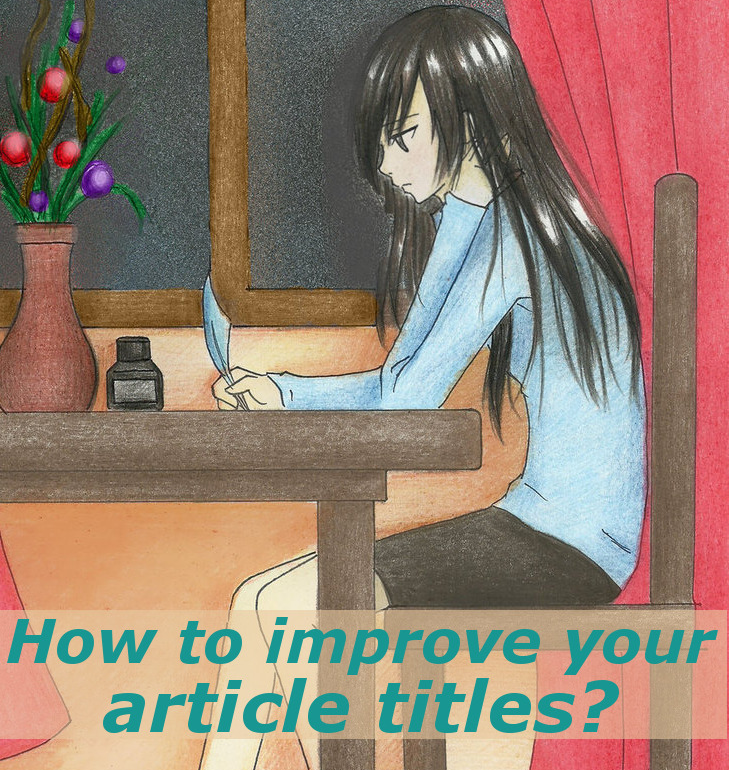
- Image with added text was modified by Freya Yuki (CC:BY-SA) based on the image by CoDLia (CC:BY-SA) from deviantArt
- Image is meant to symbolize someone writing articles
- Second image is from Amazon.com; link shown above via Amazon's Native Shopping Ads card format widget
- YouTube video shows you how to add spaces between paragraphs using a word processor like Microsoft Word
- This was previously published elsewhere

Results Of The Editing Old Articles Poll

Friday, May 18, 2018
I added an Opinion Stage poll on this post about editing old articles. For reasons which I'll talk about in another post on another one of my blogs, I've decided to delete this poll and replace it with one from SurveyHero instead.
opinion stage, polling site, poll service, editing old articles, edit, articles, writing, posts

According to my dashboard on Opinion Stage, the aforementioned poll had been created on 31 October 2014. I posted the article in question here on Tuesday, September 13, 2016 at 1:22 AM, but it had originally been posted elsewhere (either Daily Two Cents or Writedge, if I remember correctly).
online polling site, opinion stage, edit, editing old articles, writing, blog, posts
The statistics page on Opinion Stage for this poll looks like this:
pie chart, statistics, opinion stage, editing old articles, poll, online polling tool, writing, posts
opinion stage, poll, editing old articles, statistics, number of votes, online polling service, writing, blog, posts
This is the new poll from SurveyHero:

So, what about you? What do you think about editing old articles?

Update on July 7, 2023 Friday: had to delete all my SurveyHero polls.

*Notes:
- Pics are screenshots from my Opinion Stage account

6 Reasons To Love Being Allowed To Edit Articles

Tuesday, September 13, 2016
Do you love being able to edit the articles that you write and post or publish, whether online or otherwise? Why does it matter if you are allowed to edit your previously-published or old articles? What’s so important about editing and proofreading your work?

Of course, when you initially publish an article, you want it to be as perfect as possible. You edit and proofread it profusely, looking intently for any possible mistakes or errors and swiftly correcting the ones that you find. But we’re only human. We can’t always catch every single mistake on our work. As some have rightfully said, “There is always room for improvement,” so let’s take a look at some of the reasons why we should love being allowed to edit our articles:
writing, editing, articles

1. Fix grammatical errors and mistakes

If you take a look at some of your older articles, you might notice some grammatical, spelling or other such mistakes, which you might have missed the last time you proofread and edited it. In this case, you’d naturally want to fix these errors.

2. Interlink related articles

If you write articles on different aspects of the same topic, then you’d want to interlink them, so those who are interested can find and read these related posts. For example, I write a lot about Tumblr (microblogging platform and social networking site) and the Harry Potter series (fantasy books about magic and wizards written by J.K. Rowling),  so I interlink the related posts together. If we weren’t allowed to edit our articles, then how can we add these helpful, useful and relevant URL links?

3. SEO purposes

You can also choose to edit your old articles for SEO (Search Engine Optimization) purposes. For example, when the WordPress SEO by Yoast feature was added to Daily Two Cents and Writedge (writing sites that used to pay per view, but have since changed their payment model, unfortunately where you can earn some passive or residual income), I had already written several articles on both websites.


So, I started to go back to those old posts to make use of this plugin. I added the Focus Keyword and Meta Description and addressed any problems mentioned in the Page Analysis tab. If we weren’t allowed to edit, then we would only have been able to use the WordPress SEO by Yoast on our newer articles.

4. Readability purposes

Make your articles more readable by adding spaces between paragraphs and breaking up huge blocks of text. You can also choose to add headers or headings to your posts, so those who want to skim-read can easily do so. While huge blocks of text can turn off potential readers, the same can happen if your post has way too many spaces.

This is why it’s important to find the perfect balance to ensure that your article is easy to read while not hurting anyone’s eyes. Being able to edit your posts will allow you to add or remove headings, spaces and paragraphs depending on what is needed.

5. Change titles

Usually, the first thing that a potential reader will see when they come across your article will be its title. If the title catches their eye and piques their curiosity, then they might be inclined to check it out and read it. For this reason, it’s important to have great, interesting and appealing titles. If your titles are boring or uninteresting, then who would want to read them?

Imagine if you can’t edit your article titles. You’ll be forced to be stuck with a lousy title or with one that you don’t like. And you can’t do anything about this unless you delete and republish your post (this time with the title that you want). You can also choose to publish it elsewhere (read: on a site which actually allows you to edit and improve your writing or your very own blog where you have complete control over your content).

6. Add media

If your article consists of nothing more than text and more text, it might come across as boring to some readers especially if said post is really quite long. Adding media like polls, videos, pictures and more can help add color to your posts. These things can encourage interaction and participation from your potential visitors and readers. These can also help make your article seem more interesting and appealing.

Who doesn’t love editing their articles?

Don’t you just love being able to edit your old articles for all these reasons? Imagine not being allowed to edit anything at all because the site where you published your articles has disabled the editing option, forbidding you from making improvements and changes to your posts. What a horrible thought, right?

This is why you can really appreciate writing sites like Writedge, Daily Two Cents and HubPages (even Persona Paper lets you edit your posts unless it’s a poll post in which case you’re out of luck) since they freely let you use the edit button anytime or whenever you want to.

*Notes:
- Image with added text was modified by Freya Yuki based on the image by kropekk_pl (Public Domain) from Pixabay
- Image is meant to symbolize someone editing their articles by using the laptop
- YouTube video features the writing dashboard on Writedge and Daily Two Cents; this is where you can edit your articles