Writing Archives

Making Changes to the Google Blogger Navbar

Monday, February 25, 2019
In this post, I talked about working on fixing up the navbar on my Google Blogger blog. It was going okay so far, and, now, I’ve actually finally finished fixing it. Well, at least until I decide to make a few more changes / modifications to it or something.

google blogger, blog, blogging platform, blog themes, templates, fixed header navbar

Remember that screenshot from the navbar post? Yeah, well, let’s just say that my navbar doesn’t really look like that anymore.

Forgot to get a screenshot, but I don’t think it even matters anymore since I might just end up changing my mind anyway (Update: yep, I did end up changing my mind. LOL. For instance, the Movies Meta blog doesn't even have a navbar anymore).

Currently, my navbar now has the following:

  • Blog title
  • The menu links (about, contact, categories)
  • Search

So, I kept the title and the menu links, and they still look the same as in the screenshot. But I decided to remove the follow buttons and the “subscribe to the RSS” icon.

I decided that they shouldn’t be on the navbar anymore and will just place them somewhere else.

google blogger, blog themes, template, blogging platform, fixed header navbar

Transformation of the Google Blogger Search Box

As for the search - it’s no longer a search box. It now looks like one of the menu links that you can see on the screenshot.

There’s the search icon and then the word “search” beside it. When you click it, a modal shows up. This modal contains the search box that you can see on the screenshot.

Update: the search box has also changed. For instance, the Anime Meta Archives blog has a full-screen search feature. Once the search icon is clicked, the full-screen search bar will show up. 

Stop the Google Blogger Navbar from Looking Cluttered

I thought it was better that way so the navbar doesn’t look so cluttered and people will only see the search box when they actually want to use it.

So far, I think the Google Blogger navbar looks okay now, and I’m so totally done with it. At least, I really hope I’m done with it.

I dunno though. LOL. Who knows, I might decide to add the follow buttons and RSS icon there again or something.

Until then, I’m just gonna say that I’m done with the Google Blogger navbar and can now focus on the right sidebar.

*Notes:
- First image is by GraphBerry (CC:BY-SA) from deviantArt
- This was previously published elsewhere on Sunday, January 1, 2017 at 11:42 AM

Fixing The Google Blogger Navbar

Wednesday, February 20, 2019
So- am still working on my Google Blogger blog. I’ve decided to focus on the navbar for now. So far, it’s going sort-of okay. Sort-of, but not really. What does that mean, you ask?

fixed header navbar, google blogger, blog, blogging platform, blog theme, template, fixed header navbar

Google Blogger Navbar

I wanted a fixed navbar so that when you scroll down, you can still see the blog title and the menu links (plus whatever else you added to said navbar).

The fixed part is working a-okay on my Google Blogger blog already. It looks pretty nice too 😊. I’ve also got the blog title on the navbar in fancy-looking, but still readable font.

I’ve got some of the menu links listed already, and they even have icons (from Font Awesome, which is really awesome, by the way).

I’ve got follow buttons too (Pinterest and Twitter) as well as a “Subscribe to the RSS” icon though the links haven’t been inserted yet.

The buttons initially looked rather small (was using the default in Font Awesome), but I decided to make them bigger. I first tried fa-lg then fa-2x before finally settling with fa-3x.

I’ve got a search box too though it doesn’t really work yet. Currently, the entire navbar looks like this:

google blogger, blog, blogging platform, blog theme, template, fixed header navbar

You can’t see the title with the fancy-looking font, but, yeah, it’s there. It’s to the left of the “About” link. What do you think about this navbar?

Some Problems / Issues with the Google Blogger Navbar

Well, the navbar looks nice on bigger screens, but I still need to fix the way it looks on smaller screens.

Am also planning to fix up the search box some more. I’m thinking of getting rid of the large textbox and just using the search icon.

Then, when the search button is clicked, that’s only when the search box will show up where people can type whatever they’re looking for.

It should make the navbar look less cluttered, and it should make its appearance on mobile screens much nicer.

Looking forward to finishing up with fixing the Google Blogger navbar so I can move on to the other parts of my blog that need fixing (that would be pretty much everything, unfortunately). Hopefully, I can start blogging there soon.

Update: have decided to forgo the fixed header navbar for all my Google Blogger blog themes. And, yes, as can be seen with this blog, I've started blogging on Blogger already. You can check out a list of my Blogger blogs here.

*Notes:
- First image is by GraphBerry (CC:BY-SA) from deviantArt
- This was previously published elsewhere on Tuesday, December 20, 2016 at 11:40 AM

Google Blogger Blog Themes Basic Framework

Friday, February 15, 2019
Remember my last post about Google Blogger? Yeah, that one. I wasn’t exactly pleased with the aforementioned blogging platform when I wrote that.

google blogger, blog, blogging themes, template

But, right now, am feeling kind of pleased with it, and that’s totally awesome. What’s going on, you ask?

Creating a Theme on Google Blogger

So, I mentioned I was trying to make a theme on Google Blogger, and it wasn’t exactly working out, which was super frustrating.

But, now, it’s really kinda working out, so that’s really great. I mean, I still have a lot to do before having a finished blog template, but, at least at the moment, it’s going kinda well.

Basic Theme Framework

I kinda have the basic framework already. I have the:


Update: have decided to forgo the navbar

  • Blog posts on the left side
  • Sidebar on the right

Update: currently, all my Google Blogger blogs, except Movies Meta, which doesn't have a sidebar, have this feature

  • 3 column-footer at the bottom

Update: have decided to go with a 2-column footer instead

Hopefully, I can finish fixing this theme as soon as possible. I’m trying to make it as simple as possible and yet still make sure that it looks nice/to my liking so I can finally start blogging there.

Looking forward to it though it might take a while (unfortunately) unless things continue going well. Wish me luck?

Update: have finished a lot of Blogger blogs already, including this one. Am currently working on a few more.

*Notes:
- Image is by GraphBerry (CC:BY-SA) from deviantArt
- This was previously published elsewhere on Thursday, December 8, 2016 at 11:38 AM

Problems With Google Blogger

Sunday, February 10, 2019
Argh, mein gott, this is terrible. Uff, Google Blogger is seriously driving me crazy. I just wish it would work already. I do wanna blog there too, you know?

google blogger, blog themes, templates, blogging

And, yeah, I totally mean that even though I have like more than enough blogs here on Tumblr as it is. Sigh. So, what’s going on? What’s up with Google Blogger?

Complications and More Complications

Yeah, it really is complicated. Like, really, super times infinity complicated. Which means it’s also a very long story.

I’ll expound on it more later on, but, for right now, I’ll just say that I’m trying to create my own Google Blogger theme.

Google Blogger Themes and Templates

Initially, I tried to look for Google Blogger themes that I could use. This takes a whole lot of time though ‘cause, not only are there like a million zillion templates out there, I also have my own preferences/opinions on what kind of theme I wanna use on my blog.

I’ve since stopped looking for blog templates though. Why? Lots of reasons actually. I’ll discuss that in another post. Right now, let me just say that it’s just not worth it anymore.

No to Themes With Encrypted Codes

Also, I wanna say that I don’t wanna use templates that have encrypted codes, not that I’m saying they’re bad or anything, but- that’s the point, isn’t it?

Since the codes are encrypted, how do you know that there isn’t anything malicious or bad hidden behind the encryption? How can you know for sure that your blog is perfectly safe and a-okay even with these encryption codes?

Creating Google Blogger Themes

So, anyway, thanks to all the reasons mentioned above and more, I’ve decided that I should just create or make my own Google Blogger theme. That’s totally easier said than done though. Sigh. The problem is- wait, scratch that.

Actually there are a lot of problems with this, but, probably the most important is simply the lack of time. I’ve other blogs and stuff to do, so I can’t fully focus on Google Blogger. And that’s why I’ve just decided to create a pretty simple theme.

There’s no need for all the bells and whistles and stuff. But, well- meh, the codes refuse to cooperate. It’s really not that easy. I’ll need more time to figure all this out. But I really wish I could just blog right away already.

google blogger, blog themes, templates, blogging, encryption, encrypted codes

Sometimes, I get/feel all frustrated and annoyed and think that eh, forget it. I’ll stick to Tumblr. But then I get all these ideas and think, argh, but I wanna blog on Blogger too. And I also wanna make Blogger themes. Sigh. Hopefully, all the issues will get resolved soon.

I really wish that Google Blogger offered some sort of customization documentation on how to create themes on their blogging platform. You know, kind of like what Tumblr does with their custom theme docs. Totally love and appreciate that, by the way.

Update: So far (yep, I've got plans to make more. LOL), I've managed to create the Blogging Sites Meta, Writing Archives (this blog), Anime Archives (Anime Meta), Movies Meta, and Writing Sites Meta blogs.

Have also started regularly writing and publishing articles on all of them. What can you say about their design and layout?

*Notes:
- First image is by GraphBerry (CC:BY-SA) from deviantArt
- Second image is by GraphBerry (CC:BY-SA) from deviantArt
- This was previously published elsewhere on Saturday, November 26, 2016 at 11:36 AM

Where Do You Get Your Free Google Blogger Templates Or Themes?

Tuesday, February 05, 2019
Do you have a Google Blogger blog? It's free to make one (or a lot, if you like), and there are a million (well, it seems that way anyway) free themes and templates that you can use for your blog.

If you use Google Blogger, or if you have a Google Blogger blog, are you using a free template? If so, where did you get your free theme? Which website did you use to download it?

google blogger, blogging platform, blogging themes, templates, blog

I've seen and found lots of pretty awesome and cool themes (free, of course 😊), but it's hard to choose which one to go with. And they're all scattered around on various websites, so it can be hard to find them all.

It's unfortunate that Google Blogger isn't like Tumblr, which has a theme garden. It's got lots of other templates posted on other sites too, but Tumblr itself already offers a multitude of awesome free themes.

You don't even need to download anything. You just have to pick your chosen template while you're logged on to your Tumblr account and then click on the "install" button that they helpfully provide.

Unfortunately, Google Blogger isn't anything like that. The built-in or free themes it offers on its site are, well, let's just say they ain't awesome, okay?

Your Thoughts and Opinions

So, what about you? Have you found free Google Blogger themes? What website do you use? What kind of them do you like? Feel free and welcome to share your thoughts and opinions by leaving a comment below.

*Notes:
- Image is by GraphBerry (CC:BY-SA) from deviantArt
- This was previously published elsewhere on Friday, October 21, 2016 at 11:30 AM

Google Blogger Blog Themes Updates

Thursday, January 31, 2019
Here are some news updates about the Google Blogger blog theme that I'm currently working on.

It's one of the many reasons (also working on other themes and blogs plus lots of other stuff, etc) why I haven't been around here on Persona Paper (writing site) much lately. How's it going here, by the way? Anything new? News? Stuff going on? LOL.

google blogger blog, blogging themes, templates, blogging platform

Edited to add: While Persona Paper is still around, it has stopped paying. I never even got to cash out from this writing site.

Google Blogger Blog

This one's going pretty well so far, considering I started all over again pretty much from scratch.

Already chose a free template before and was just trying to customize and modify it to my liking, but- eh, stuff happened, and I decided to just start from the beginning.

So I started creating my own Google Blogger theme. Now, it's looking pretty nice and fine. Here's a list of some of the stuff it currently already has:

  • Popular posts with circular thumbnails, opacity change, and tooltips on hover

Update: Did this with the Writing Sites Meta and Blogging Sites Meta blogs, but without the tooltips on hover. Here's a screenshot from the Writing Sites Meta blog:

google blogger blog, writing sites meta, popular posts gadget, widget, blogging theme, template

  • Fixed up the Feedburner widget since the default version doesn't look all that inviting

Update: currently, all my Google Blogger blogs have a subscribe to Feedburner widget that opens in a modal. Here's a screenshot from the Movies Meta blog:

google blogger blog, subscribe via email, google feedburner, widget, gadget, movies meta, blogging theme, template, modal

  • 3-column footer and copyright/credits section

Update: changed my mind and decided to go with just 2 columns.

  • Fixed navbar with blog title and pages links including search

Update: No more fixed navbar for any of my Blogger blogs. Have decided to go with a different layout.


Update: search now opens in a popover except with the Anime Archives (Anime Meta) blog. Said blog's got a full screen search instead.

  • I like the automatic drop-down effect on hover so have that for the categories list on the fixed navabr

Update: since there's no more fixed navbar, there's also no more automatic drop-down on hover.

  • Fixed floating social media sharing buttons - they're on a fixed footer bar alongside other buttons like the back to top button, subscribe to the RSS icon, etc

Update: Some of my Tumblr themes still have this feature, but it's a different story for my Blogger blogs. For instance, the social media sharing buttons on Anime Archives opens in a modal.

  • When the user scrolls down a bit, the fixed footer bar shows up. If the user is on a post page, the social media share icons will also show up on the footer bar. Otherwise, only the back to top button and other icons will show up on the footer bar

Update: there's still a fixed footer bar and a back to top button, but no more social media sharing buttons on said bar

  • And more

Update: yup, there's a whole lot more features. LOL.

'Course, there's still lots that needs to be done, but, hopefully, can finish it all up soon. Right now, am working on the appearance of the posts on the homepage.

Update: Finished working on the Writing Archives, Anime Archives, Movies Meta, Blogging Sites Meta, and Writing Sites Meta blogs, but am currently still working on a few other blogs.

Already have an automatic read more link (in button format) plus short snippet, but also wanted to show a thumbnail.

  • What's supposed to happen is that, if there's an image in the post, it will show up on the homepage right above the snippet and read more button. This is regardless of where the image is located inside the post
  • The thumbnail was too small though, so I enlarged it
  • It looks sort-of okay, but still need/want to fix it up some more
  • See, the pic is responsive, but, on bigger screens/devices, it looks stretched
  • It's not pixelated, so it can still be seen clearly, and, technically, I could maybe leave it as-is, but I don't want to
  • The stretched look is annoying me. Want/need to fix it some more. LOL.

Update: got this issue sorted out. No more stretched-looking images.

And that's all for now. There's more, am sure of it, but, yeah, will talk about it some more later on. Hope everyone is doing well. How's the traffic / activity here on Persona Paper?

The last time I was here, it seemed kind of low, but, just checked my bank now, and I seem to have acquired a few coins or so, which is great, of course 😊.

Your Thoughts and Opinions

How 'bout you guys? How's it going? Feel free and welcome to share your thoughts and opinions by leaving a comment below.

*Notes:
- First image is by kaboompics (Public Domain) from Pixabay
- This was previously published elsewhere on Monday, November 14, 2016 at 11:34 AM

Google Blogger Blog Tag Issue Is A Bug

Saturday, January 26, 2019
I don't know if I should be happy about this or not. On one hand, now that I know it is a bug, well, it obviously can't be fixed, so, at least you don't have to waste your time trying to, right?

On the other hand, well, this bug is annoying, you know? What if it really kind of bothers you and you want it fixed?

google blogger, blog, blogging platform, tags, labels, widget, gadget, page

What's Going on With Google Blogger?

A few days ago, I wrote this post on Persona Paper. It's about the tag issue or problem that I've been experiencing in my Google Blogger blog.

Tag Issues

Basically, this is what happens:

  • Write a blog post and then add tags to this post
  • Publish the post and then click on any one of the tags
  • Doing so will take you to a page, which will list all of the articles that use said tag
  • You can set the number of articles that will appear per page, so, if, say, you have yours set to a minimum of 3, only 3 articles should show up every time you decide to look at a tag page
  • If there are more articles, a "next page" or "older posts" button should show up
  • If there are no more articles, then the aforementioned button should not show up
  • The problem is that the button shows up even if there are no more articles to display
  • So, for example, you only have one article that uses the "Google Blogger" tag
  • If you click on this tag, only one article should show up and the "older posts" button should not be displayed
  • However, what happens is that this button gets displayed even if there are no more posts

google blogger, blog, tags, labels gadget, widget, older posts, articles, page, blogging platform

The image above is a screenshot of part of the Google Blogger blog that I'm working on. See that "older posts" button?

If a tag only has 1 post to display, then that button shouldn't show up. The Google Blogger bug makes it so that this button appears even when it shouldn't. Have you noticed this too?

Tag Issue Happens on Unmodified Blog Using Default Google Blogger Template

It's very annoying, to say the least. After doing a bit more trial-and-error, I decided to check out another Google Blogger blog to see how the tags are displayed.

This blog hadn't been modified/edited/customized, and it currently uses the default Blogger template (since I haven't gotten 'round to fixing it up yet), so I wanted to compare the 2 and see where the problem might be.

To my surprise, I saw that the unmodified and default Blogger template was also displaying the same problem.

Tag Problem on Other Google Blogger Blogs

I then decided to check other Blogger blogs. I've only checked a few that weren't mine, and it looks like they have the same problem with the tags. So it really looks like this is a bug with Google Blogger.

Is This Happening With Your Google Blogger Blog?

Have you noticed this with your blog/s? It's really kind of annoying, but, on the plus side, at least I can now move on from this issue and focus on the other things that I still need to fix with my blog.

Right now, I'm checking the theme's responsiveness. How 'bout you? How you doin' with your blogs?

*Notes:
- Image is by FirmBee (Public Domain) from Pixabay
- This was previously published elsewhere on Saturday, October 15, 2016 at 11:29 AM

Tag Issues On Google Blogger Blog

Monday, January 21, 2019
So, I mentioned that I was currently working on a Google Blogger blog. I'm really quite pleased to say that I'm almost done fixing it up.

tags, labels gadget, widget, google blogger, blogging platforms, theme

Unfortunately, there are still a few more issues that I have to deal with. What a hassle, huh? LOL. One of the issues that I have to deal with is with the:

Tags


  • On Google Blogger, this is the Labels widget or gadget
  • When you click on a tag, you should be taken to a page which shows all the articles that use that tag
  • This feature works on my blog, so what's the problem then?
  • The issue is with the number of articles that show up
  • I had it showing only one post at first so I can see the look of my next-previous pagination buttons (definitely no infinite scroll anywhere on this blog. LOL)
  • After fixing the look of those buttons, I made it so that only a few tags at a time will show up per page
  • On some tags, this works perfectly, but, on other tags, for some unknown reason, the "older posts" button shows up even though it shouldn't because there are no more articles to display
  • Basically, that button shouldn't even be present on these tags since there's like only one post with said tag
  • Yeah, I've no idea what's up with that 😕

It's really kind of annoying, not to mention a hassle, since I either have to fix it or find some way to get around it. The weird thing is that this is only happening on some tags.

Well, hopefully, I can get this sorted out soon, or maybe I should just let it go? I don't want to though. LOL. We'll see 😊. So, how 'bout y'all? Hope your blogs are all doing well.

Edited to add: by now, I've finished working on this Google Blogger blog theme. I've been able to make 3 different themes. I also got to set up a few blogs on this platform. You can check out a list here.

*Notes:
- Image is by hayashinomura (CC:BY-SA) from deviantArt
- This was previously published elsewhere on Sunday, October 9, 2016 at 11:28 AM

Revisiting My WordPress Blog

Wednesday, January 16, 2019
It's been such a long time since I last logged on to my WordPress.com account that I'd practically forgotten that I actually had a blog there.

When I logged on, I saw that my last post was way back in 2015. So, I wrote and published a new post to explain my long absence.

I don't know if I'll be able to post there regularly again, but I do want to. I also want to fix up a lot of things there like the Portfolio page I'd been working on.

I hadn't been able to finish it back then and, now, since so much time has passed, a lot of things have already changed.

WordPress, WordPress.com, blog, portfolio, Tumblr, daily two cents, writedge, bubblews, blogging platform, updates

For instance, that page still has info regarding my articles on Bubblews, but that site has long since been gone. There's also info about some of my posts on Writedge and Daily Two Cents, but I've long since removed my articles from those 2 writing sites.

As another example, consider the pics on said portfolio page, particularly the ones that talk about my Tumblr blogs. Those pics show what my blogs used to look like back when I was using a different theme and layout.

In short, I really want to fix up said page though I don't know when I'll have the time to do so since I've been really busy lately.

If it's possible, I wanted to keep the old and obsolete Portfolio page and just start a new one. After all, I did spend all that time working on it. I don't want to just delete it. That, and looking at it brings back memories, you know?

So much has changed since then and it would be nice to compare and contrast the old and new portfolio pages. Of course, that's assuming I ever get around to finishing the new one I wanted to do. Haven't even been able to start yet. Soon, I'll be able to., I hope. Wish me luck. 😊

*Notes:
- Image is by 27707 (Public Domain) from Pixabay
- This was previously published elsewhere on Saturday, January 7, 2017 at 11:43 AM

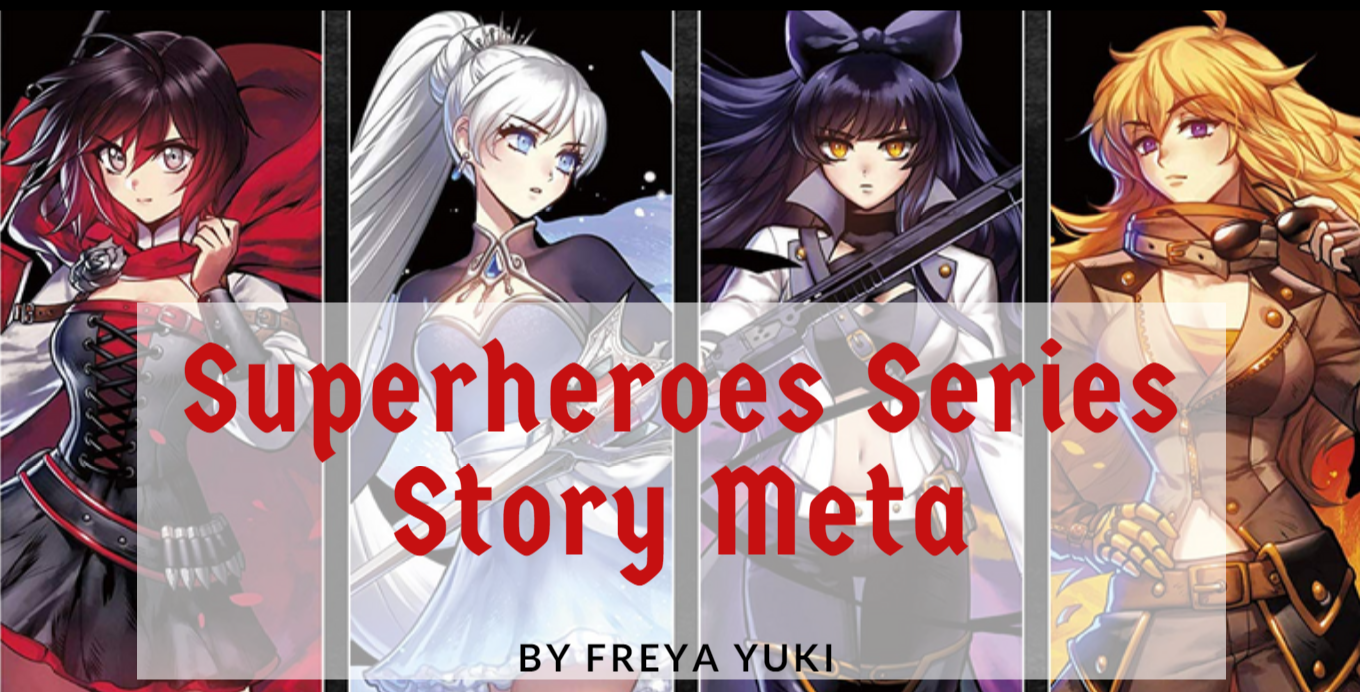
Superheroes Series Story Meta

Thursday, November 08, 2018
Also known as "Origins of the Superheroes Series Story".

The Superheroes Series is an ongoing series of short stories featuring the adventures of 4 superheroes currently only known by the names East, West, North, and South.

meta, writing meta, writing, stories, superheroes series, writing stories, rwby, Ruby Rose, Weiss Schnee, Blake Belladonna, Yang Xiao Long, short stories

Moving the Superheroes Series

It's been years since I first started writing this series. If I remember correctly, I first started posting this on the now-defunct site Bubblews. When Bubblews shut down, I transferred the posts to Persona Paper and Daily Two Cents.

Finding a New Home for the Superheroes Series

Persona Paper is still online, but it has discontinued its paying model, and there's talk of it shutting down, so I removed all my posts from that site.

Daily Two Cents has changed its payment model from a pay-per-view to Google AdSense. That, and the fact that both earnings and traffic have begun to fall from said site had me moving my posts elsewhere.

Writing Archives Google Blogger Blog

I decided to create a writing blog where I could post all my writings, short stories, philosophical musings, and anything else that was related to writing.

This included the Superheroes Series. Now all the posts related to said series can be found on this blog instead of being scattered across different sites.

Reason for Short Length

The Superheroes Series of posts are all pretty short. At most, they're only a few hundred characters long. The reason for this is because of where I first published this series.

meta, writing meta, writing, stories, superheroes series, writing stories, rwby, Ruby Rose, Weiss Schnee, Blake Belladonna, Yang Xiao Long, short stories

Instead of a minimum word count, Bubblews enforced a minimum character count. If I remember correctly, the site had a minimum character count of 400.

Usually, I did end up writing more than that, like with my Harry Potter Plotholes articles, which I've now moved to my Harry Potter Archives blog on Tumblr.

Experimenting With Different Writing Styles

The Superheroes Series began as an experiment. I wanted to try out different forms and styles of writing. So I ended up with articles that have or that contain:


The very first Superheroes Series post was dialog-only. Over time, I ended up writing it in third person using a mixture of dialog and description.

A Oneshot That Evolved

The first few parts of the Superheroes Series was about the Lover's Quarrel between East and West as told through dialog by North and South. It was supposed to be a one-shot, something that was meant to be short and even a bit humorous.

But then the scene with the Evil Enemy featuring East and West as well as said Evil Enemy happened. After that, it was really supposed to be the end. Really, seriously.

meta, writing meta, writing, stories, superheroes series, writing stories, rwby, Ruby Rose, Weiss Schnee, Blake Belladonna, Yang Xiao Long, short stories

But then, somewhere along the way, I was inspired to write more about these characters. The latest Lover's Quarrel between East and West developed a bigger plot, one that involved more than just the main characters.

Incorporating Some Tropes

While writing parts of the Superheroes Series, I also ended up reading some TV Tropes. As a result, there are quite a number of references to said tropes in parts of the series. The more genre-savvy readers might be able to tell what these tropes are.

No Gender Specified

Some might also notice that no gender has been specified for the main characters of the Superheroes Series. The main characters are referred to either by their names, which are also gender-neutral, or by using "their" and variations thereof.

This was done completely deliberately. In the beginning, this was mostly because I had yet to decide the genders of these characters.

Also, since this began as a dialog-only post, I couldn't really explicitly specify the genders of the main characters on said posts.

Then, when the series was expanded and got more of a plot, I decided that readers could decide the gender of these characters for themselves. Maybe this will change later on, but, for now, this is how it is.

Superheroes Series on Hiatus

Currently, the Superheroes Series is on hiatus. There are a variety of reasons for this, such as working on:


But, basically, it all really just boils down to one thing - lack of time. It's unfortunate, but, with so many things to do, there just isn't enough time to do it all. Sigh.

I do have some drafts and stuff plotted out for this series. I've got some stuff written down on what's supposed to happen next, but nothing is set in stone. I'm still not sure if some scenes will change or if other things should happen.

Anyway, hopefully, I'll be able to get back to this series soon. Wish me luck. And feel free and welcome to let me know what you think about all this by leaving a comment below 😃.

*Notes:
- All images are from Amazon.com; links shown below. Pics are meant to represent any of the 4 superheroes
- Image with added text was modified by Freya Yuki using Canva
- First pic is RWBY wall poster
- Second pic is Ruby Rose printed on canvas, framed poster
- Third pic is Weiss Schnee printed on canvas, framed poster

Who Is Planning to Join NaNoWriMo?

Saturday, November 03, 2018
NaNoWriMo stands for National Novel Writing Month. It runs from November 1-30 every year.

Basically, the whole point of NaNoWriMo is for writers to commit to writing one novel with a minimum of 50,000 words (you can write more if you want) in one month.

informational article, novel, stories, writing, nanowrimo, national novel writing month

You can check out the project's official site at nanowrimo.org to learn more.

You can also choose to create an account there. You can then use it to track your progress (like your novel's word count), meet new people who are also writers like you, get encouragement, motivation and support from these people, and more.

It's free to join, but you can donate to the site if you want to.

informational article, novel, stories, writing, nanowrimo, national novel writing month, niume, writing site
NaNoWriMo is all about writing. Just let the words flow. Worry about the editing and the proofreading after you've finished your novel

If you manage to finish writing your novel by the end of the month, then you win NaNoWriMo, and you can get some prizes (http://nanowrimo.org/sponsor-offers). It's mostly discounts for a lot of products, so check it out if you're interested.

The real prize is really the fact that you've managed to finish writing your novel, or, if it's more than 50k words, then you've managed to get halfway through it.

The focus of NaNoWriMo is simply to just write and write. You can worry about editing and proofreading when you've got a finished manuscript in your hands.


So, who's planning to join NaNoWriMo this year?

P.S. I made a poll, but, unfortunately, it looks like it can't be embedded here on Niume's post editor, so I just linked to it instead.

Edited to add: this post is no longer on Niume, so feel free to check out and answer the poll below. You can also leave a comment below to share your thoughts and opinions about NaNoWriMo.


*Notes:
- This was originally published on Niume
- Image with added text was modified by Freya Yuki using Canva based on the image by kirimatsu (CC:BY) from deviantArt

Here are some of the comments from this article, back when it used to be posted elsewhere:

Arthur Chappell said on 3/1/17
I write compulsively and prolifically all year round so the NanoWriMo would actually slow me down - great that it encourages new writing though.

Zack Plourd said on 31/10/16
thank you for doing a post about this! Ive been wanting to do something like this for quite sometime
:)

Freya Yuki replied to Zack Plourd on 9/11/16
You're welcome and thanks :-).

Lorinne Lewis said on 31/10/16
Forgive me, but I published my book with Pronoun.com. It was the BEST choice ever. I mean, O.K it was hard work for me because I am slightly disabled due to dyslexia so it takes a little more to deal with things and do things. But needless to say the whole website was easy to navigate and free. One great thing is I was able to get help when needed. Their tech support is awesome.

Freya Yuki replied to Lorinne Lewis on 31/10/16
Haven't heard of Pronoun. Will have to check it out some time. NaNoWriMo isn't for publishing novels though. It's just for encouraging you to write and finish a novel. You can then choose to submit it to publishers.

Lorinne Lewis replied to Freya Yuki on 31/10/16
OH ok.. Wow guess I need to read better.. LOL :)

Freya Yuki replied to Lorinne Lewis on 9/11/16
:-) But thanks for mentioning Pronoun. Haven't heard of it, but will be sure to check it out after finishing my story.

Persona Paper Profile Page Comments

Monday, October 29, 2018
The post below shows comments that I've received on my Persona Paper profile page.

Persona Paper is a writing site where you used to be able to earn a bit of passive income for publishing articles. Unfortunately, the site has stopped paying. There was also talk of it closing down, though it's currently still up.

comments, persona paper, writing sites, profile page

Nonetheless, I have started removing my posts there and transferring them elsewhere. Currently, I only have a few articles left published there.

Well, to be more precise, that was supposed to be the case. However, I recently found out that there's an issue when it comes to deleting articles published on Persona Paper. I talk more about that problem in the following articles:

  1. Problems Deleting Articles on Persona Paper
  2. 1 Way to Delete Persona Paper Articles
  3. Problem Deleting or Editing Polls on Persona Paper

Anyway, in case Persona Paper does end up closing or shutting down, I don't want to lose the comments I'd received from there, so I decided to post them here.

It's been a while, but I do recall writing an article about replying to those who commented on my profile page. I also recall responding to these comments on the profile pages of those who left a comment on my profile page.

Persona Paper Comment Problems

My profile page says I have 18 comments. Like I said, it's been a while, so I can't recall if I've actually gotten more than that.

persona paper, writing site, profile page, comments

But I can see that I'm missing some comments. Supposedly, I have 18 comments, but I can only see 11 of these comments.

Where are the rest? I don't know :-(. I do wish I could get a hold of those comments, so I can back them up here. Sigh.

Anyway, without further ado, here are the comments from my Persona Paper profile page:

lookatdesktop said on January 31, 2016, 10:45 AM
Wow. 111 articles. Where are you writing at now? This site is closing soon. Just a heads up. Keep a backup of your articles.

CalmGemini said on March 18, 2015, 10:48 AM
Would like to follow your posts.

Elren said on March 4, 2015, 9:55 PM
Hello. Looking forward to our blooming friendship. :D

UK_Writer said on February 26, 2015, 12:53 PM
Following you, all the best.

Kungfu123 said on February 22, 2015, 7:36 AM
Can you tell me what's the difference between Prename and First Name in BBB form?

bestwriter said on February 5, 2015, 1:57 AM
Picked you up to respond to posts. I have been doing this since the last few days - paying attention to one user a day besides my usual activity. I liked most of your posts excepting those about East and West.

peachpurple said on January 15, 2015, 12:45 AM
did you try filing complaint against the bub site?

Vickiw said on January 7, 2015, 11:16 AM
Thanks so much for filling me in on the follow me thing!

Hollyhocks100 said on January 6, 2015, 1:06 PM
Just read your excellent post on moving things from bubblews.

LadyDuck said on January 3, 2015, 8:51 AM
Hello, I am also a Bubblews refugee.

mydreams said on October 4, 2014, 11:08 PM
Hi ! Nice to meet you across here, though I am fresh here but would like to be connected and look for your posts. Happy to start following

*Notes:
- Image is by GraphBerry (CC:BY-SA) from deviantArt
- Second pic is a screenshot from my Persona Paper profile page

Do You Like the Infinite Scroll Feature?

Tuesday, October 23, 2018
Infinite or endless scrolling is a feature that some sites have. When you scroll down to the end of a webpage, if infinite scroll has been enabled, then more and more posts or content will automatically load.

blogging, informational article, poll results, reading articles, reviews, writing, writing articles, infinite scroll, persona paper, infinite scroll feature
This was made using Persona Paper's poll feature

This will keep happening until all the posts have been loaded. If this feature has been disabled, you will see the navigation buttons like 'next' or 'previous' instead. Clicking on those buttons will take you to the next or previous page of your site where new posts will load.

Do you like infinite scroll? I actually don't like this feature for a number of reasons, so I like having the option of disabling it. Some sites let you do that, but some don't.

So, how 'bout you? What are your thoughts on this feature? Feel free to share your thoughts and opinions by leaving a comment below.

Note: you might notice that a lot of the options in the poll are about reasons to hate or dislike endless scrolling. If you know any more pros or positive things about this feature, then feel free to mention them.

Here are some of the comments from this article, back when it used to be posted elsewhere:

cheri wrote on March 11, 2015, 8:50 AM
Just do not like it. Thats all.

FreyaYuki replied to cheri on March 12, 2015, 12:51 PM
I'm glad I'm not the only one. I really don't like this feature too :-(.

crowntower wrote on March 11, 2015, 9:15 AM
If we are viewing photos or quotes in a photo I would love to have an infinite scroll... hehehehe, because I am so lazy to click the next button... hahahahah! But in some cases I would love to disable it. Thanks and God bless.

FreyaYuki replied to crowntower on March 12, 2015, 1:07 PM
Ah, I see. You're welcome. I was mostly talking about articles and posts though like those that appear on the homepage of a site or blog.

MakeMoneyOnline wrote on March 11, 2015, 10:53 AM
I wouldn't mind to see it on Persona to tell you the truth. I like the feature.

FreyaYuki replied to MakeMoneyOnline on March 12, 2015, 1:09 PM
Ah, let's agree to disagree then 😃. LOL. But may I ask why you like the feature? Just trying to see what others think of the infinite scroll feature. I see there are others who don't like it either, but then there are also those who do.

MakeMoneyOnline replied to FreyaYuki on March 12, 2015, 2:25 PM
I've only seen this feature on Pinterest and Fiverr (maybe one or two other sites I can't remember). I like the feature because I don't have to click "next" to get to other posts. I'd love to see it on Persona because I like to see what's happening on the first page and when I hit the end of the page I either can't find the "next page" button or I'm too lazy to even look for it. But if the next posts would appear, I'd scroll much further and find more interesting posts to comment on.

FreyaYuki replied to MakeMoneyOnline on March 13, 2015, 12:45 PM
Ah, I see 😃.

For Persona Paper - I'd also like it if we could see more posts, but I'd prefer seeing next-prev buttons rather than infinite scroll. It would be good if we can see more posts so we can read even the older ones. Right now, it's hard to find those old posts so I agree that we should be able to see and easily find more posts here.

About Pinterest - what I don't like about the infinite scroll on this site is how, for example, you search for something and you end up seeing lots of pins. You can keep scrolling down and more pins load and show up. But if there's way too many of them, you can't see them all in 1 day. If you have to leave the site for now, when you come back, how can you find the place where you left off?

You can't because all the pins loaded in one page so you have to start at the top again and then start scrolling down again. On the other hand, if there were next-previous buttons, you can take note of the URL link of the page you're on so you can just go back to this page to continue looking through the older pins when you have the time to do so.

MakeMoneyOnline replied to FreyaYuki on March 13, 2015, 2:08 PM
Makes sense. Probably there should be a hybrid option, where you could scroll but also quickly find the place where you left off.

arthurchappell wrote on March 11, 2015, 11:45 AM
I prefer it on big sites as waiting for fresh pages to load can get very irritating

FreyaYuki replied to arthurchappell on March 12, 2015, 1:18 PM
Ah, I see. For me, pages don't really take much time to load so I don't mind. I'm actually not fond of the infinite scroll feature on, for example- Pinterest because, being new there, there are so many pins that I have yet to see.

There's no way I can seem them all in one sitting. For instance, I can use their search feature to search for pics, but I won't be able to finish looking at all of those pins in 1 day. But if I want to go back to the spot where I left off, I can't do that thanks to the infinite scroll feature. I will have to start searching again and then load all the pins again.

nbaquero wrote on March 11, 2015, 5:37 PM
FreyaYuki I don't really mind the feature, but I wouldn't implemented on my sites/blogs.

FreyaYuki replied to nbaquero on March 12, 2015, 1:25 PM
I turned off this feature on my Tumblr blogs and I'm not implementing it on the Google Blogger blog that I'm working on. The only exception is WordPress, but that's because you don't really get a choice. You either end up with the real automatic infinite scroll or the fake manual infinite scroll.

*Notes:
- This was previously published on Persona Paper on March 11, 2015, 7:54 AM

Reasons Not to Use URL or Link Shorteners

Thursday, October 18, 2018
Also known as, "What is the problem with shortening links?"

Reason to Use Link Shorteners

People use link shorteners to shorten their URLs especially when they want to share sites on Twitter thanks to the limitation on the number of characters per tweet.

blogging, informational article, reading articles, reviews, writing articles, writing, URL shortener, link shortener

Reason to Dislike Link Shorteners

What are your thoughts on this? Would you willingly click on a shortened link? Or would you actually be averse to doing so?

For me, it’s actually the latter. Shortened URLs look like a mix of letters that don’t make sense at all. That’s precisely what makes me reluctant to click on those links.

It’s because you don’t know where those links will take you. How would you know what website you’ll be brought to based only on the shortened URL?

blogging, informational article, reading articles, reviews, writing articles, writing, URL shortener, link shortener

You can see something like bit.covzxwm (example only), and that doesn’t look appealing or safe especially not when you compare it to something from sites like Daily Two Cents such as dailytwocents.com/article-title-here.

The latter URL tells you which site you’re going to be brought to, so you won’t end up being surprised when you click the link. When you click on the link, you know you’re going to this particular site to read this particular article.

Is It Safe to Click on a Link Shortener?

But with a shortened link, if you’re just looking at the URL, it will tell you nothing, so how will you know it’s safe to click on that link? What if you’re brought to a dangerous site with viruses and malware or something?

Or what if you end up getting redirected to some other site? What if you get taken or redirected to an ad?

Of course, that’s not to say that all short URLs would do something like that, but, with the way they look, they just give that sort of impression or vibe, don’t they?


What do you think? So, are you reluctant to click on short URLs that you see on websites like Twitter, or do you not mind them at all?

*Notes:
- This was previously published elsewhere
- The last updated date is listed as Aug 12th, 2015 1:01:25am
- First image is by GraphBerry (CC:BY-SA) from deviantArt
- Image with added text was modified by Freya Yuki (CC:BY-SA) based on the image by Cpro (CC:BY-SA) from Wikimedia Commons
- Image is meant to symbolize someone using a link shortener
- YouTube video shows you how to shorten links

Reasons NOT to Use Official Social Media Sharing Buttons and 3rd-Party Plugins on Your Blog

Saturday, October 13, 2018
Social media sharing buttons (like the ones for Facebook, Twitter, Pinterest, Google+, etc) are pretty much a staple or a given when it comes to blogs and sites, right? If you have articles, there should be sharing icons somewhere so that your readers and visitors can easily share your posts.

blogging, comment replies, informational article, reviews, sharing buttons, social media, third party plugins, official social media sharing buttons, javascript, simple, lightweight buttons

Of course, it's not exactly as easy as saying that you want these buttons, not if you're talking about your own website or blog (like Weebly, Wix, Tumblr, Google Blogger, etc).

I wanted social media sharing buttons on my blogs/sites too. I'll focus on Tumblr (microblogging platform and social networking site) in this one since my quest for social icons for my Tumblr blogs was what led me to finding out all this info about these buttons. LOL 😃.

Reasons to Use Third-Party Plugins

Anyway, at first, I thought about going with the third-party social media sharing buttons plugins. Pros for using this include:

  • Easy installation - just sign up or create an account on the 3rd-party site, get their code then add it to your blog
  • Choices - these plugins usually offer different designs of social icons, so you can just choose whatever you want plus you can decide how many buttons you need, like if you only want 3 or 4 or more icons, etc

Reasons NOT to Use Third-Party Plugins

There are lots of plugins out there though, so it's up to you to decide which one to go with. So, how come I didn't go with any one of these plugins?

Well, I was reading up on the reviews for many of these plugins to help me decide, and what I've discovered wasn't all that good. The cons include:

  • Possible breach of privacy for you and your readers - do you know what kind of data these plugins are mining from you and your readers and whoever else clicks on the share buttons on your blog or site?
  • Possible redirect to inappropriate ads - if the share buttons are clicked, where will your visitors be taken? Will they be redirected to ads they don't want to see?

Now, of course, not all plugins do that, but then how do you find out which ones don't? That would take lots of time plus you might have to do trial and error too. Besides, how do you even know which ones will work for your blog or site?

Another thing that made me decide to forget about the third-party plugins was how some of them had such long Terms of Services and Privacy Policies. I always read these stuff before joining sites, but wasn't feeling up to it considering the length of these boring documents.

Reasons to Use Official Social Media Sharing Buttons

So that brings me to the official social media sharing buttons. What are these? Where do you find these? You find these buttons by going to the social media platform whose share icon you want to add to your blog.

For example, if you want to add a Twitter share button to your site, all you need to do is go to Twitter and get their official sharing button.

Get the codes then add them to your blog and that's that. Pretty simple, right? Plus, you shouldn't have to worry about privacy or security since, if you and your readers have accounts on these platforms, then it's a given that you've agreed to the terms and policies of these sites.

Reasons NOT to Use Official Social Media Sharing Buttons


  • Design - your mileage may vary, but, in my opinion, these buttons don't look all that nice or appealing
  • Plus, each of these platforms have their own buttons that look different from the others, so if you add them all to your blog or site, it won't be uniform at all
  • Javascript

Did you know that using Javascript can slow down your blog? And did you know that the code for the social media share buttons make use of Javascript, so you end up getting a lot of codes depending on how many buttons you want to add to your site?

Actually, even the third-party share plugins make use of Javascript, so that's another point against them.

Alternative to 3rd-Party Plugins and Official Social Media Sharing Buttons

Yup, there's an alternative and it's to use simple, lightweight sharing icons. These buttons do not use Javascript, so they won't contribute to slowing down your site. They are merely URL links that lead to the social media site so you don't need to worry about your privacy and security either.

Simple, Lightweight Social Media Sharing Buttons

In short, it's like adding links to your articles (like when you interlink them) only, instead of adding links to text, you add links to images or icons so that, when someone clicks on them, they'll be taken to the site where they can share your post.

For example, they can click on a Pinterest share button, and the link in that icon will take them straight to Pinterest where they can log in and pin the pics in your article.

Some Pros:

Pretty awesome and cool, right? Plus, you can design your own icons or use free ones out there, etc, which means that you can end up with buttons that look uniform and that fit your site.

1 Con:

What about cons? Are there cons? There's one that I can think of, but I don't really consider it as a con. Again, your mileage may vary. What is it then?

It's the fact that you don't get counters for these links, so you won't be able to easily tell how many people shared your posts.

But, if you're new to blogging or your site or blog is new, then it's likely that you won't have thousands of shares anyway, so even if you use counters in the share buttons, you'll probably just end up seeing 0, and that's not really nice to look at, is it? LOL 😃.

Example:

Anyway, here's an example of what the social media sharing buttons look like on one of my Tumblr blogs. Look at the screenshot below:

blogging, comment replies, informational article, reviews, sharing buttons, social media, harry potter plotholes archives tumblr blog, simple, lightweight social media sharing buttons, no javascript

The screenshot is from this article: 2 Ways for Harry Potter to Prove He Didn’t Put His Name in the Goblet of Fire.

By the way, it might not be all that noticeable on the pic, but the title or tooltip only shows up when you hover your mouse on the icon, so you'll only see the "share this post on Pinterest" and the opacity change when you hover your mouse on the Pinterest button.

The same goes for the other social media icons.

What do you think?

Oh, and, yes, for the record, the theme I'm using actually already came with social media sharing buttons, so what in the world was I doing looking 'round and trying to add these buttons to my blog, you ask? LOL.

That's a pretty long story actually. For now, I'll just say that I did keep those built-in buttons, but I wanted the share buttons to be more prominent on my blog. I wanted to customize them further, I- eh, I think you get the point 😃.

Edited to add: I've changed the theme on my Harry Potter Plotholes Archives Tumblr blog, but I'm still using simple, lightweight social media sharing buttons. They now look like this:

blogging, comment replies, informational article, reviews, sharing buttons, social media, harry potter plotholes archives tumblr blog, simple, lightweight social media sharing buttons, no javascript

The Harry Potter blog is now using the Clarent Premium Tumblr Theme. Check out the demo blog or learn more about this theme.

I am also still using simple, lightweight social media sharing buttons on all of my blogs on both Tumblr and Google Blogger. Even the themes I make use these kinds of buttons.

Here are some of the comments from this article, back when it used to be posted elsewhere:

UK_Writer wrote on February 26, 2015, 12:52 PM
There's 1001 things to think about, discover, learn - and more - when you start doing your own thing.... so many things, choices. So hard:)

FreyaYuki replied to UK_Writer on February 27, 2015, 9:41 AM
Yup. There's so much to learn about when it comes to blogging and creating websites, etc. It may not be an easy task, but you can really learn and discover lots of things about this, which makes it easier for you if you decide to use other blogging platforms or website builders.

GemstonePink wrote on February 26, 2015, 5:09 PM
Wow, there seems to be so many concerns when starting a blog and building it. I think a blog is more than I have time for.

FreyaYuki replied to GemstonePink on February 27, 2015, 9:39 AM
Yes, that's right if you want to add things like social media follow and sharing buttons, popular posts and recent posts widgets, ads, tags, etc, etc.

But if you're just looking to write, then you don't have to pay attention to all these other things, not if you don't want to. A blog does require a lot of time though especially if you want to publish posts on your blogs at least once a day.

nbaquero wrote on March 1, 2015, 8:02 AM
FreyaYuki Great info, this definitely needs to be taken into account for our own sites/blogs. Need to reread and bookmark for future reference.

FreyaYuki replied to nbaquero on March 1, 2015, 12:00 PM
Thanks. I've also been implementing this on the other platforms that I'm working on. If you have any questions, feel free to ask 😃.

crowntower wrote on March 13, 2015, 5:17 AM
I think this will help if we have other personal site, but for us Philippines and India, this is not gonna work for us here in Persona for the changes that we understand. But thanks for the whole thing. I hate plugins because it always make my computer to crash.

FreyaYuki replied to crowntower on March 13, 2015, 12:31 PM
Yes, this is for those who have blogs or sites so they can also add social media sharing buttons to their posts, similar to how there are also sharing buttons here on Persona Paper.

*Notes:
- This was previously published on Persona Paper on February 26, 2015, 12:46 PM
- First image is by GraphBerry (CC:BY-SA) from deviantArt
- The rest of the images are screenshots from my Potter Archives Tumblr blog

Harry Potter Plotholes Archives Tumblr Blog About Page

Sunday, October 07, 2018
The post below shows the text for the Harry Potter Plotholes Archives Tumblr blog about page. I recently changed the theme on that blog. Before, it was using the Rustelia Theme. Now it's using the Clarent Theme.

When I changed the theme, I also decided to update the about page text. You can check out the new about page here. I didn't want to just delete the old about page though, so I decided to keep it here instead. This was last update on July 04, 2017 Tuesday.

about page, harry potter plotholes archives, tumblr blog, writing, news

Potter Plotholes Tumblr Blog About Page Text

Hi there. What’s up? I’m Freya Yuki, and this is my Harry Potter blog. Everything you’ll find here can be related to or is all about the 7-book magical and fantasy series by J.K. Rowling.

Yes, that’s right, even though the blog URL link only mentions plotholes, this site will be more than just about the numerous plot holes in the HP series (I just got stuck with the address since a lot of the HP-related ones are already taken).

By the way, are there any more fans of this series? It’s kind of sad that I ended up getting into this fandom when it’s no longer at the height of its popularity. I know others are likely interested in other stuff now, but I can’t help it if I still like Harry Potter.

I’m just getting into it now, so I’m looking forward to writing about it and just fangirling it (yeah, I know, I’m so late to the party that it’s practically over by now). If there are still any fans out there, I’d love to talk about this pretty awesome series with you, so feel free to contact or message me anytime you want.

Here’s a list of my other blogs on Tumblr:

Tumblr Blogs


Tumblr Themes

I also make themes for Tumblr. They’re highly-customizable, responsive, and mobile-friendly with lots of options and features. You can take a look at the demo blogs to see them in action.

You can also take a look at my Themes page and my Themes blog for a more detailed description of these themes as well as more information about their features and customization options.

Tumblr Themes List

Mystic Summer Install (for free) Demo Blog
Weiss Zima Install (for free) Demo Blog
Rustelia Install → Gumroad / Sellfy Demo Blog
Sol Aki Install → Gumroad / Sellfy Demo Blog
Verde Frühling Install → Gumroad / Sellfy Demo Blog
Fiorella Install → Gumroad / Sellfy Demo Blog
Arica Buy now | More info Demo Blog
Rei Asa Buy now | More info Demo Blog
Clarent Buy now | More info Demo Blog
Jelana Coming Soon Demo Blog

Writing Sites

Aside from watching anime and reading manga and fantasy books, I also love writing. So, yep, I’ve also written and published numerous articles on the following sites:

Writing Sites List


Other Blogs

I also have blogs on other platforms. Here they are:


I write about all sorts of topics and subjects including movies, books, technology, world news, and more.

I also have accounts on Elance and Fiverr, and I’d be very happy to work for you, so feel free to hire me or contact me for details. You can also follow me on Flipboard, Twitter, and Pinterest.

For more info and details on all of the above, you can just check out the links that you’re interested in. For a more detailed, interesting, and entertaining overview of everything mentioned above, you can go here and here.

If you have any questions, comments, and/or concerns, etc, then please feel free to contact or message me anytime.

Last updated: July 04, 2017 Tuesday